Ritmo

Booking appointments

Book a patient in under a minute and follow each doctor's day.

Steps

Tap any picture to see it full size.

  1. Open «Appointments». You see today's schedule with a column for each doctor.
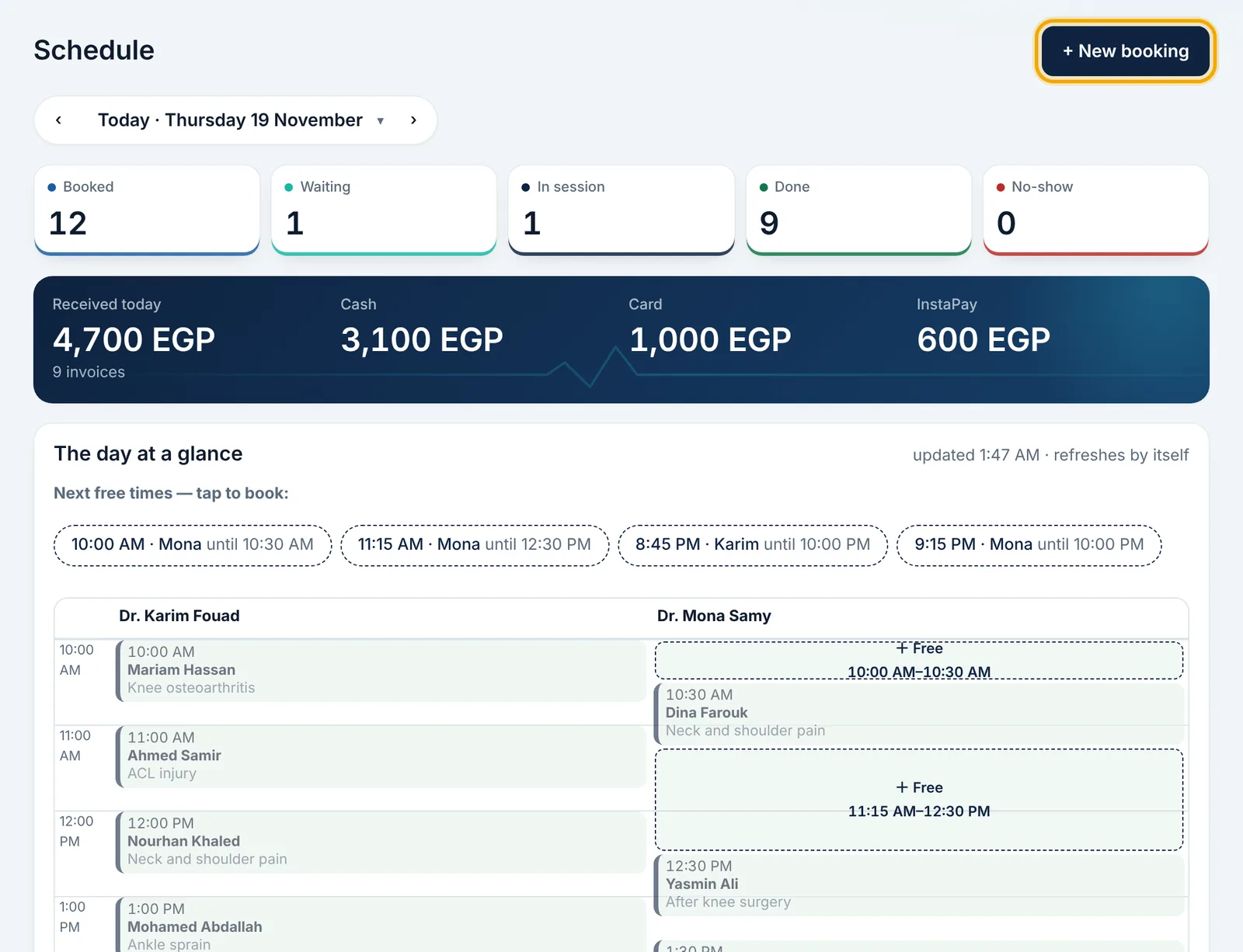
    Open «Appointments». You see today's schedule with a column for each doctor.
  2. Press «+ New booking», or tap any «+ Free» slot on the schedule so the doctor and time are chosen for you.
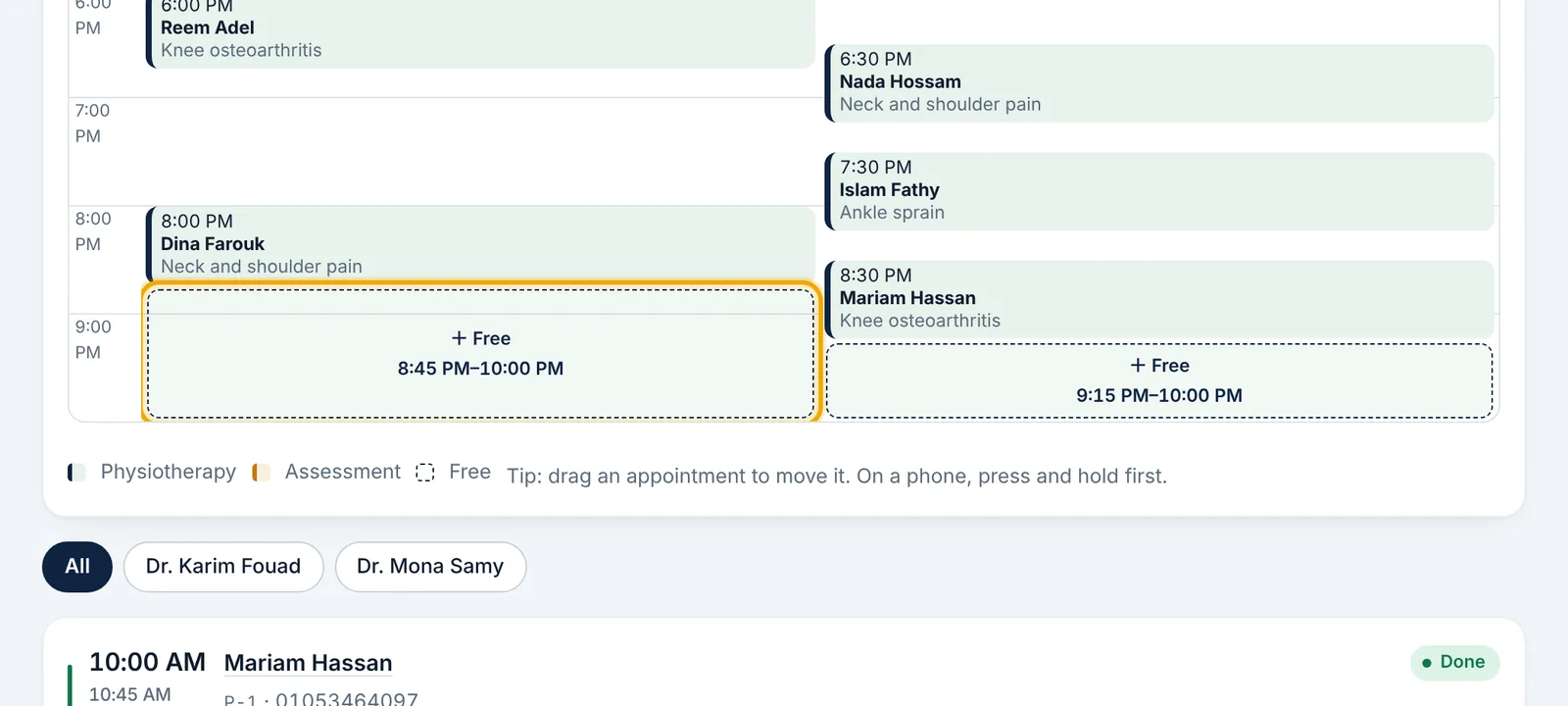
    Press «+ New booking», or tap any «+ Free» slot on the schedule so the doctor and time are chosen for you.
  3. Find the patient by name, mobile or code, or press «+ New patient».
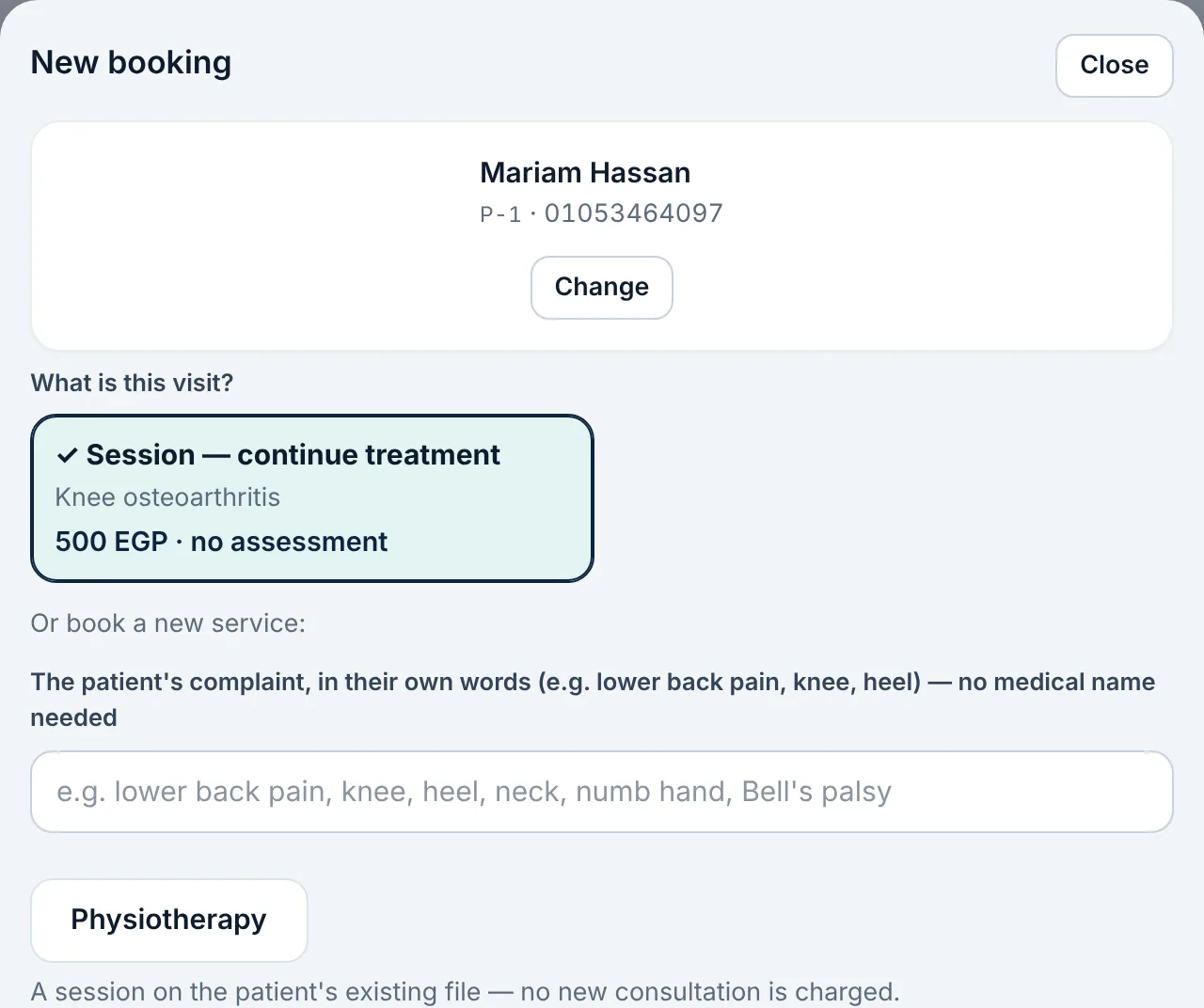
    Find the patient by name, mobile or code, or press «+ New patient».
  4. Choose the visit type (first assessment or a session) and write the reason for the visit in the patient's words.

  5. Choose the therapist, the day and the time, then save the booking.
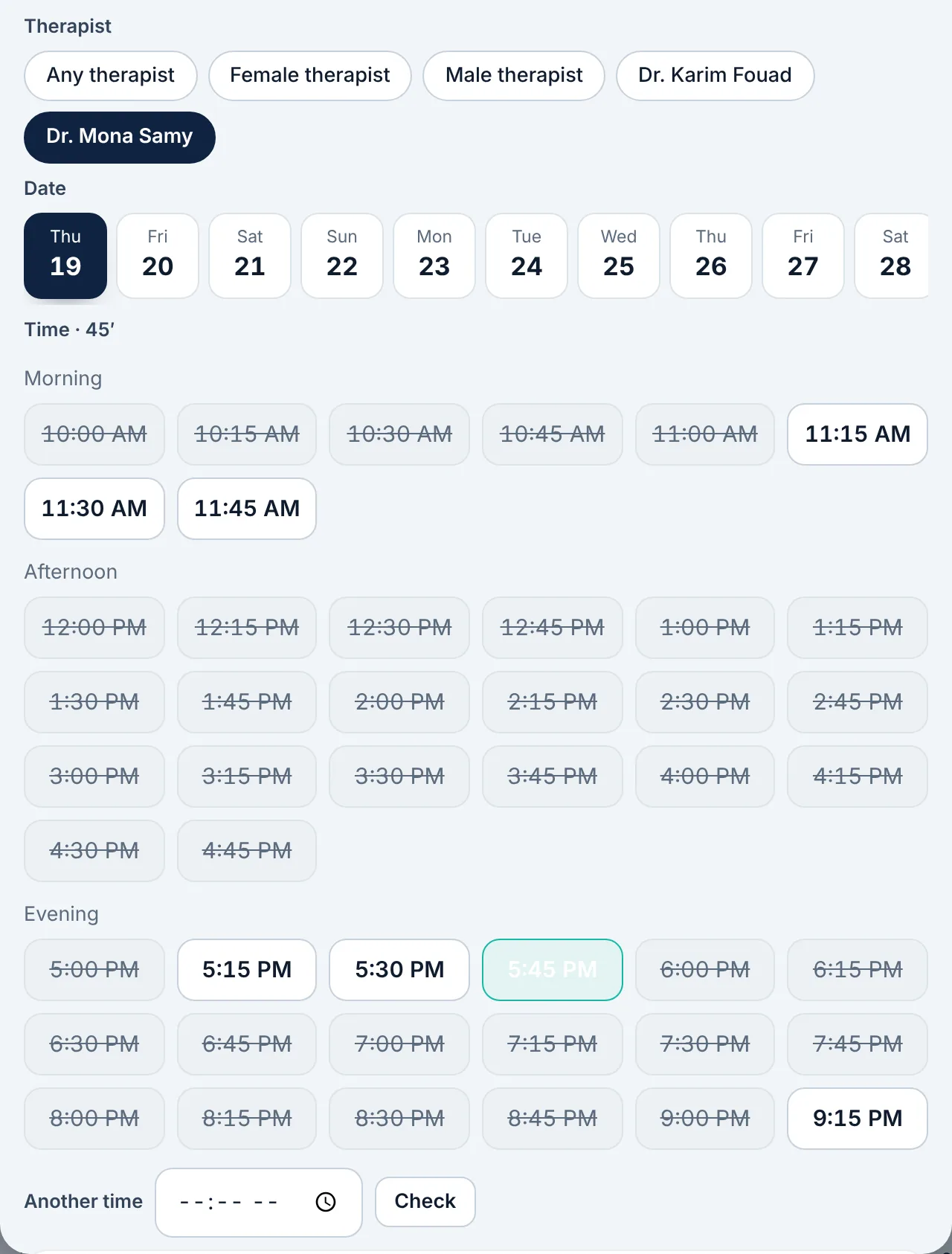
    Choose the therapist, the day and the time, then save the booking.
  6. When the patient arrives, tap the appointment to mark them in; the status moves to «Waiting», «In session», then «Done».
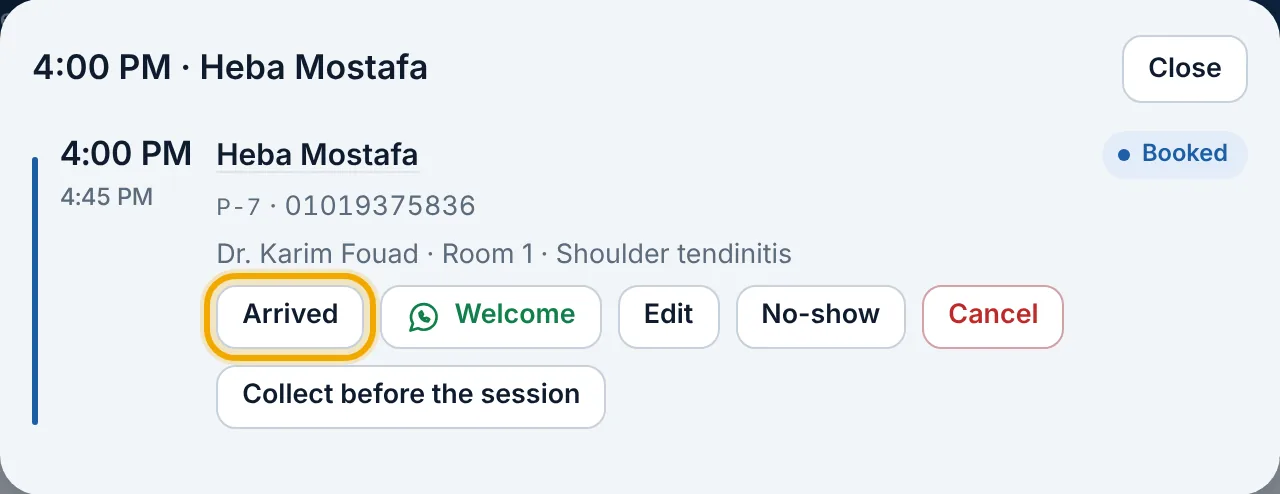
    When the patient arrives, tap the appointment to mark them in; the status moves to «Waiting», «In session», then «Done».

Didn't find what you need?

Press «?» at the top of Ritmo, then «Chat with us». Our assistant answers right away, and our team takes over when you need a person.