Ritmo

Your first day

From creating your account to your first working day, in minutes.

Steps

Tap any picture to see it full size.

  1. Create your account with «Start a free trial»: clinic name, your name, mobile, email and a password.
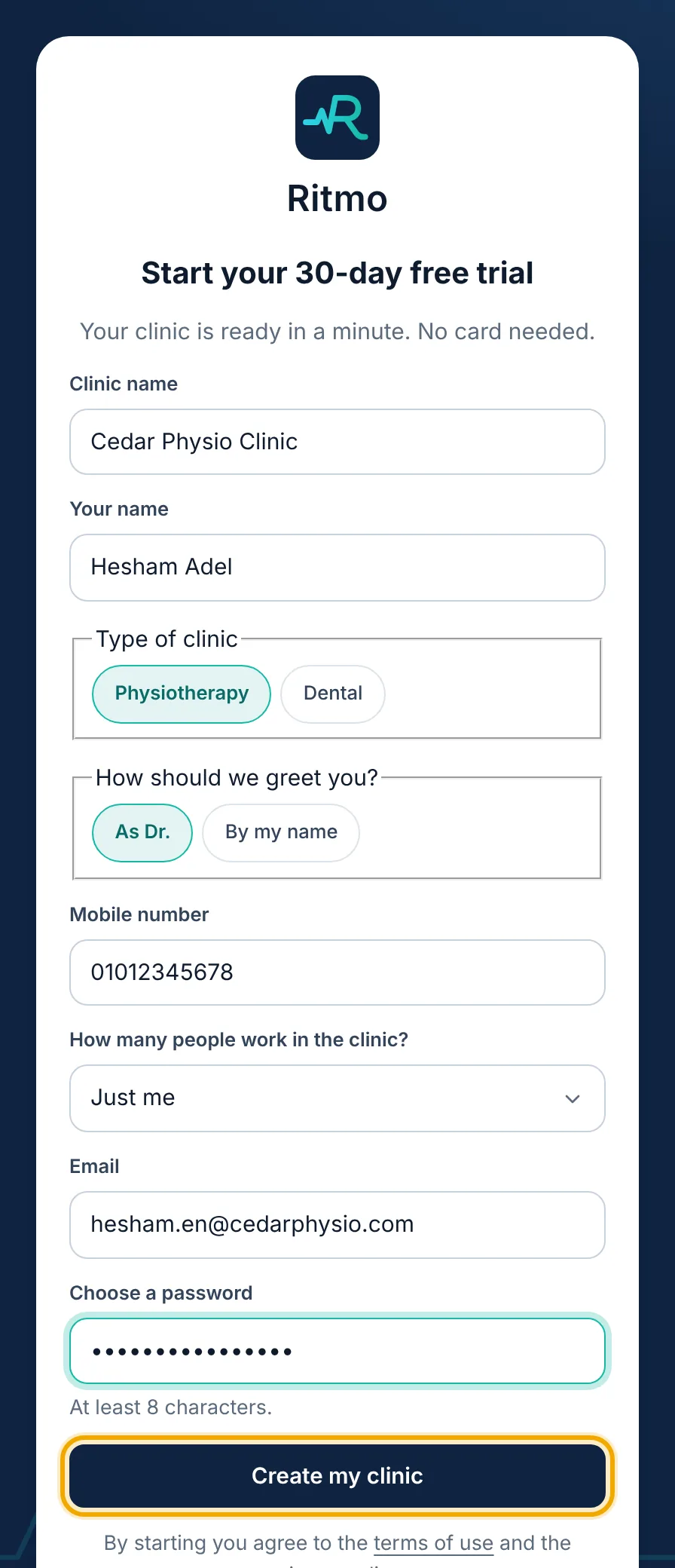
    Create your account with «Start a free trial»: clinic name, your name, mobile, email and a password.
  2. The setup guide opens by itself. Choose what your clinic treats and the extras you offer.
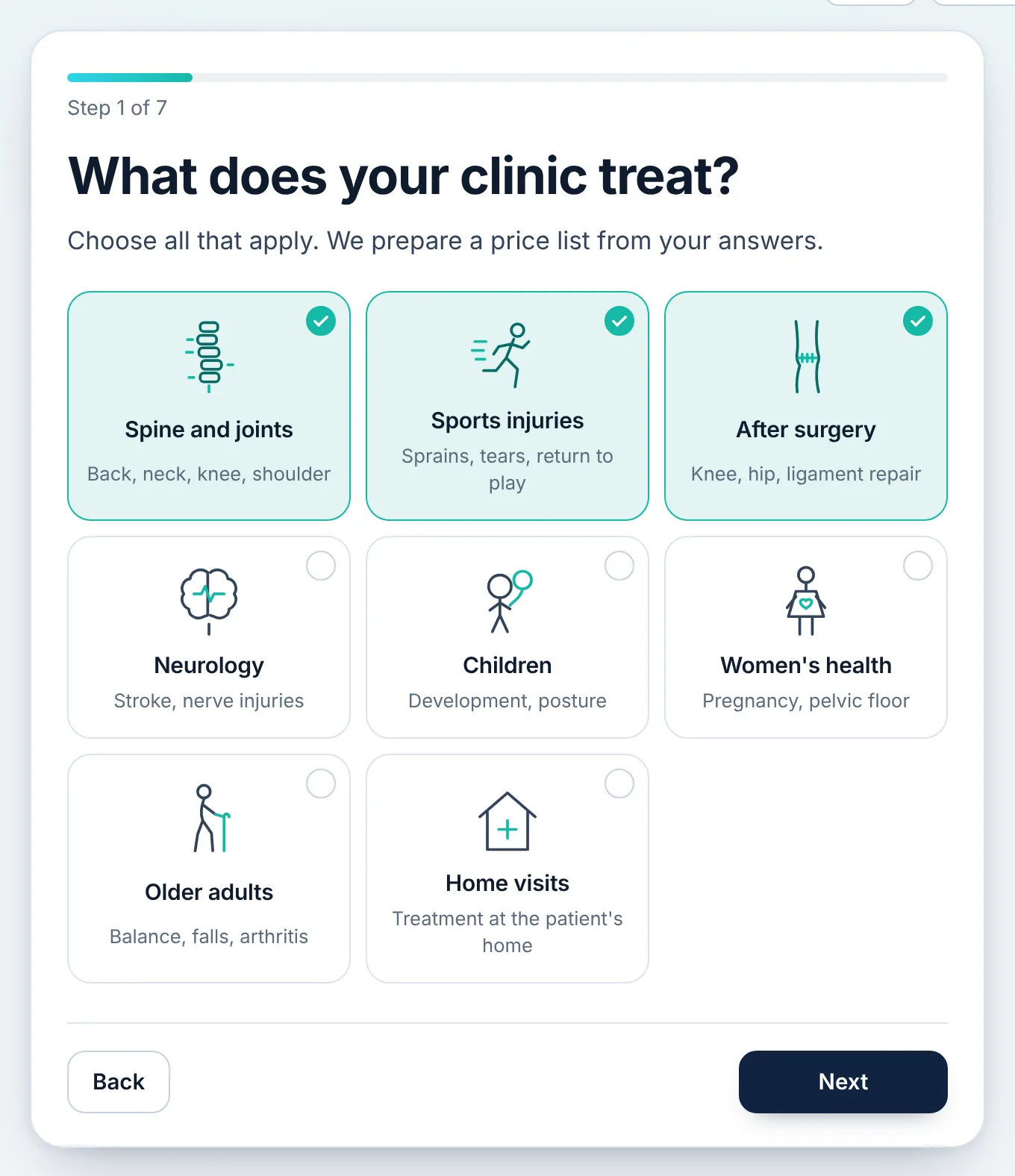
    The setup guide opens by itself. Choose what your clinic treats and the extras you offer.
  3. Type what a regular session costs and we suggest a full price list. Change any price, and switch off anything you don't offer.
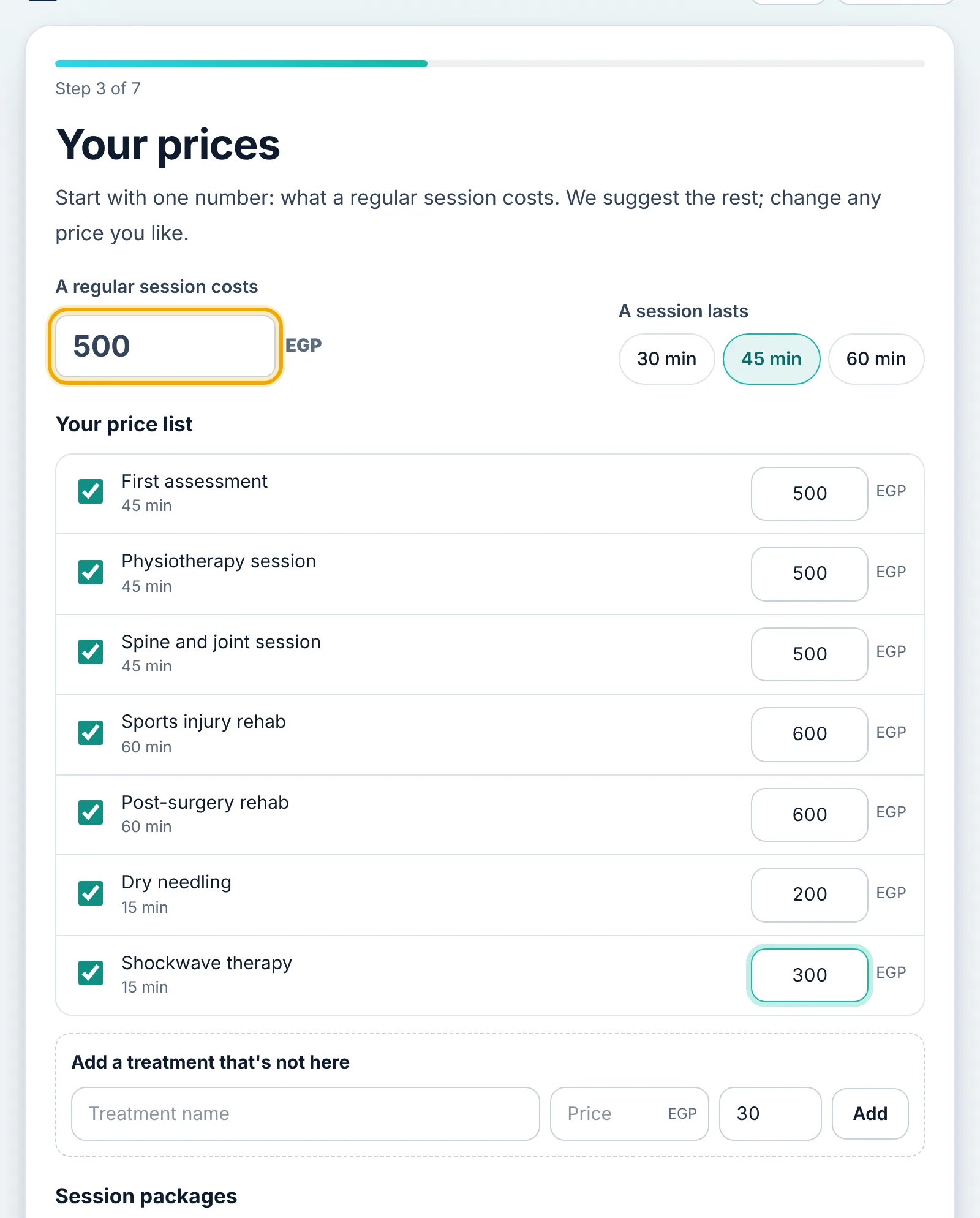
    Type what a regular session costs and we suggest a full price list. Change any price, and switch off anything you don't offer.
  4. Set your working days and hours, then the number of rooms and the names of your doctors and reception.
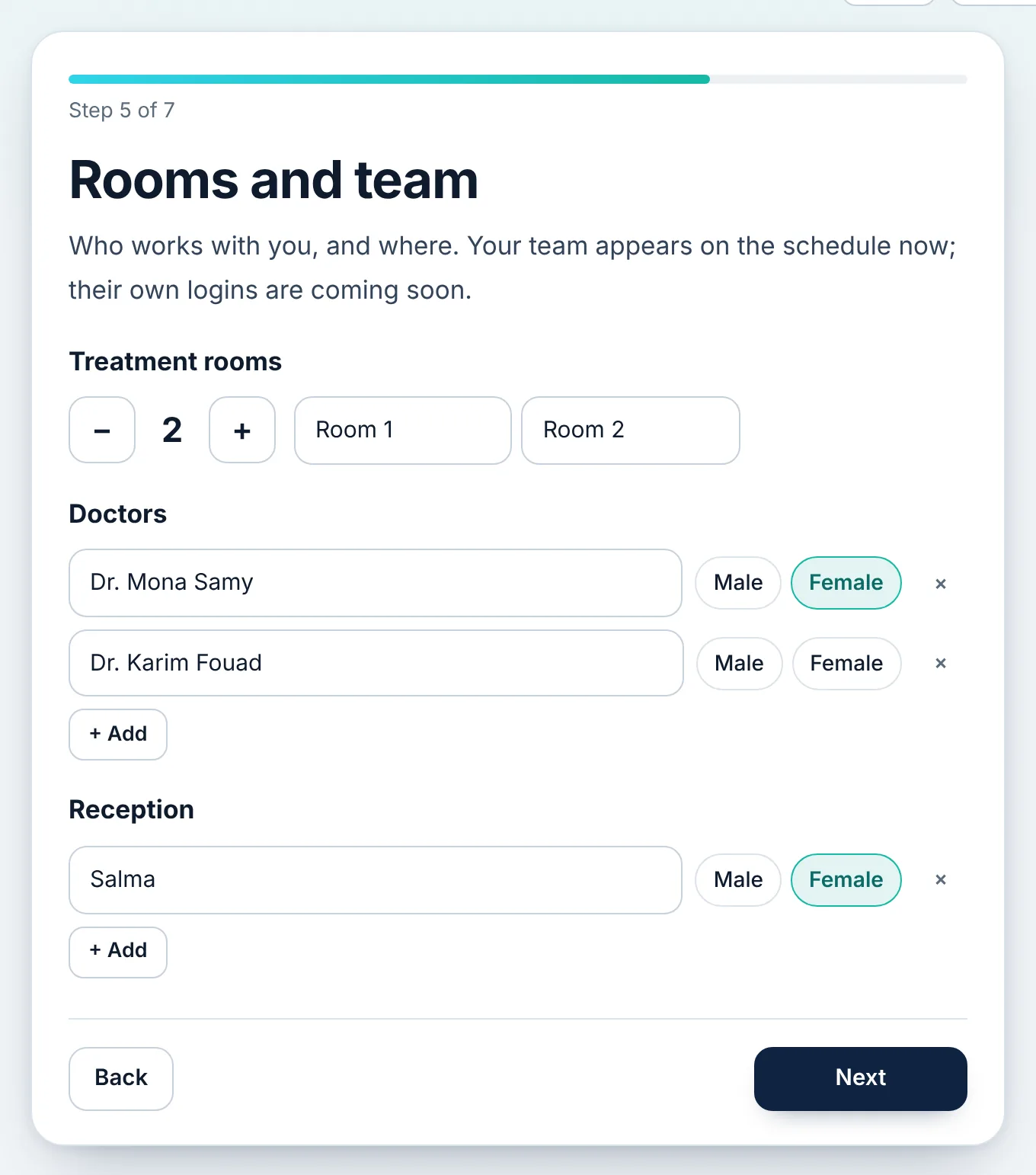
    Set your working days and hours, then the number of rooms and the names of your doctors and reception.
  5. Choose the discount and online booking rules, then add your patients from an Excel file if you have one.
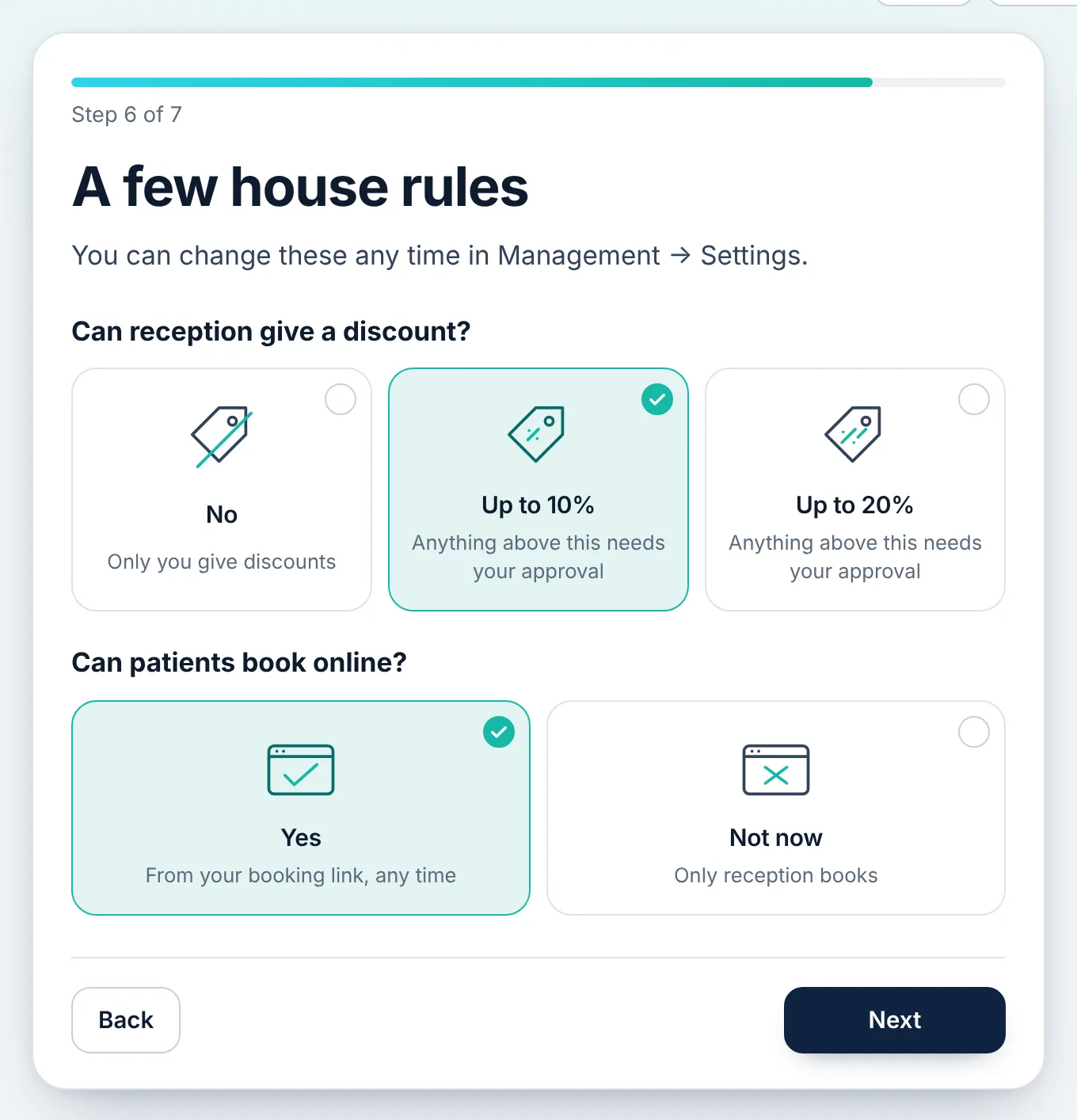
    Choose the discount and online booking rules, then add your patients from an Excel file if you have one.
  6. On «Overview» you'll find «Getting started»: each remaining step with a «Show me» button that takes you there.
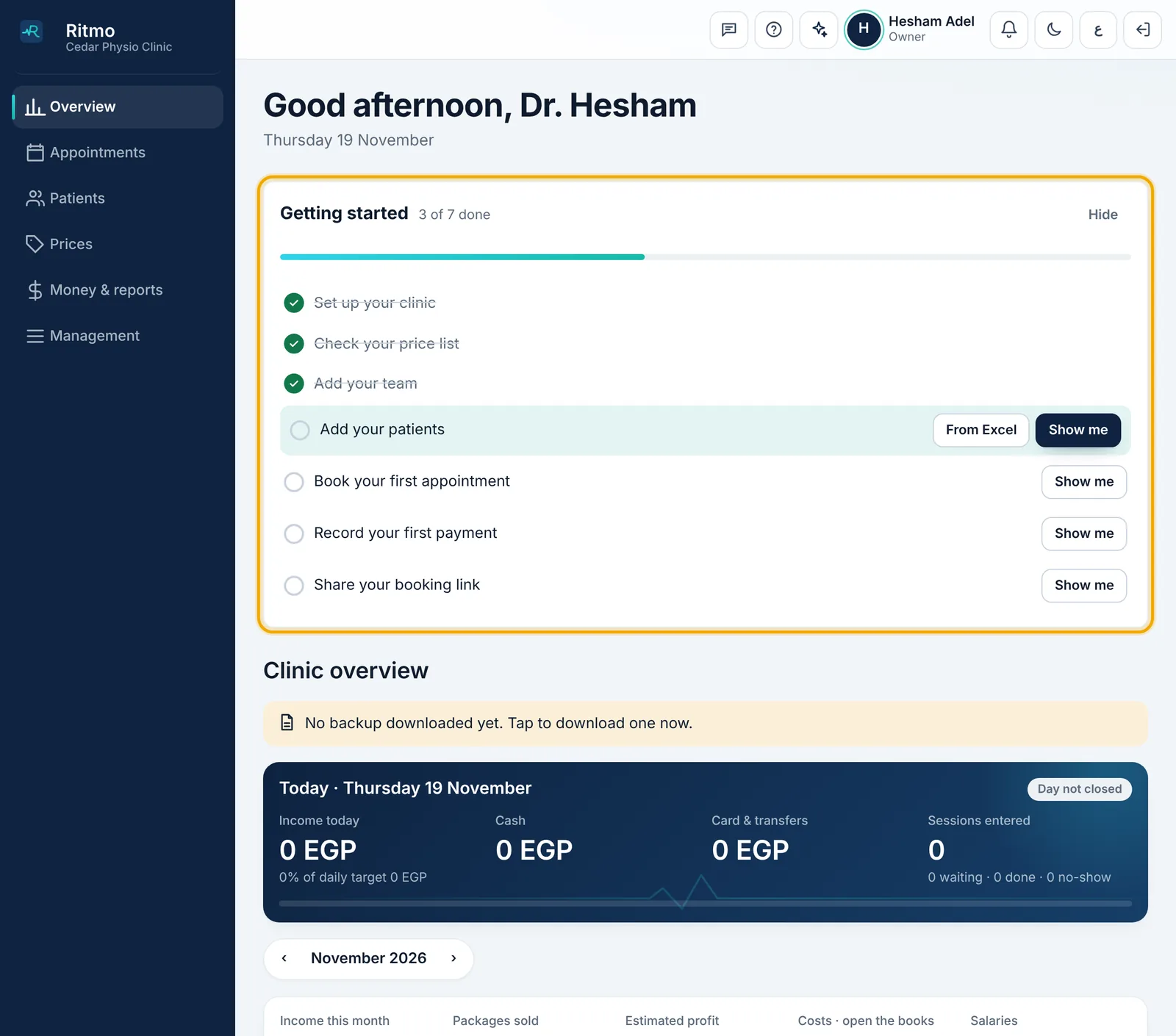
    On «Overview» you'll find «Getting started»: each remaining step with a «Show me» button that takes you there.

Didn't find what you need?

Press «?» at the top of Ritmo, then «Chat with us». Our assistant answers right away, and our team takes over when you need a person.