Ritmo

Your team and their hours

Add your team and set each person's hours.

Steps

Tap any picture to see it full size.

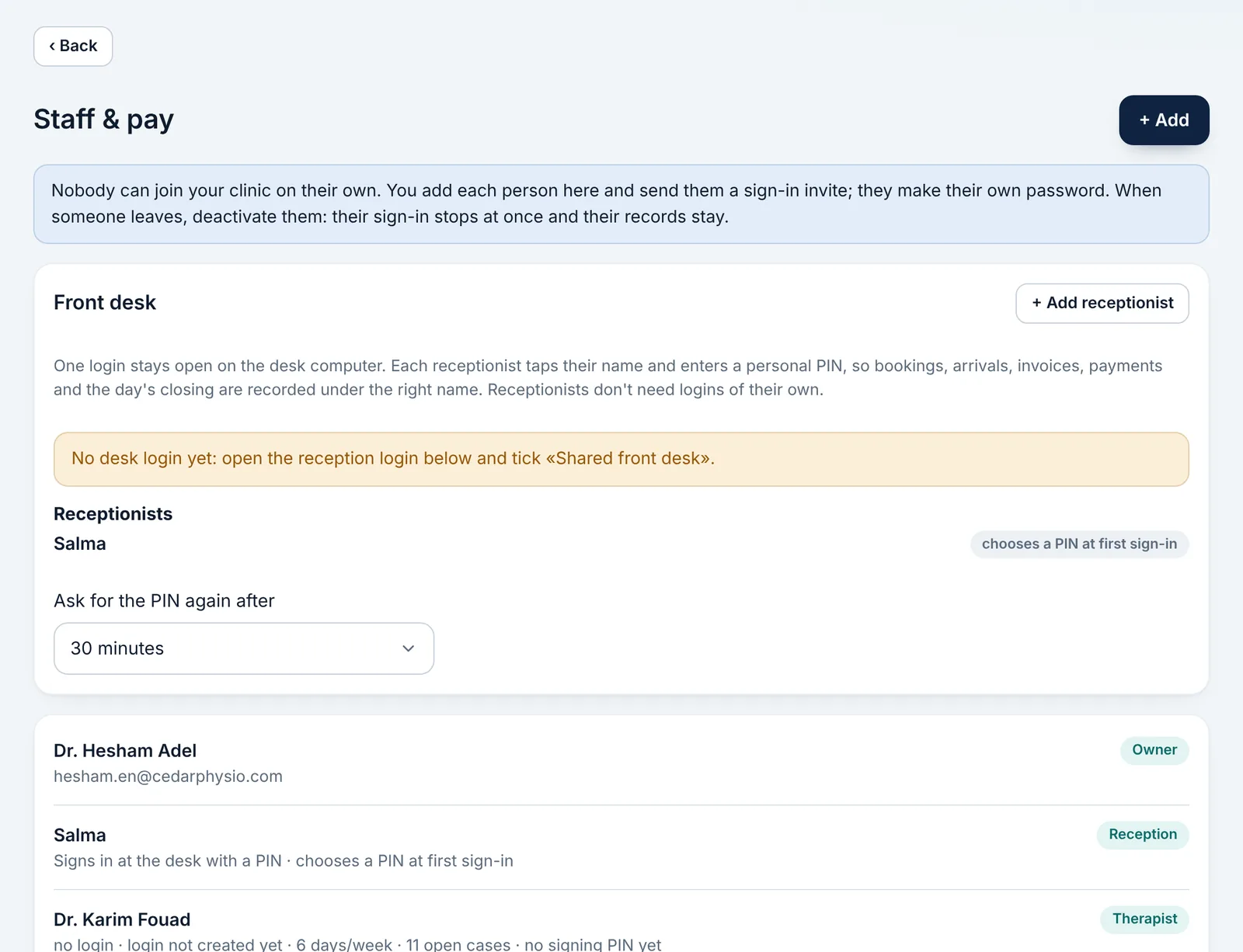
  1. Open «Management» → «Staff & pay».

    Open «Management» → «Staff & pay».
  2. Add the person: name, role (doctor or reception) and gender.
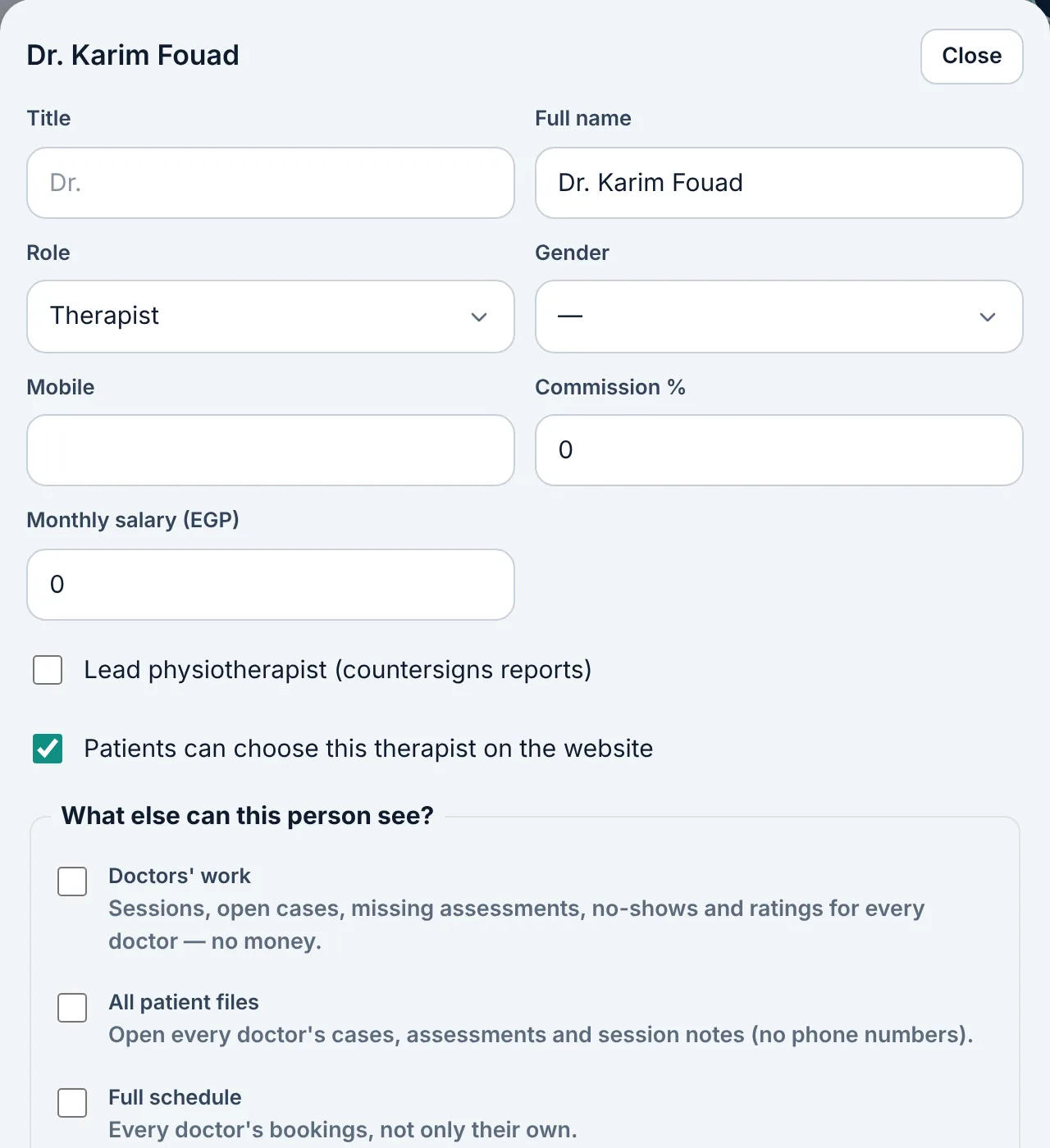
    Add the person: name, role (doctor or reception) and gender.
  3. Set each doctor's working hours; their appointments are booked only within them.
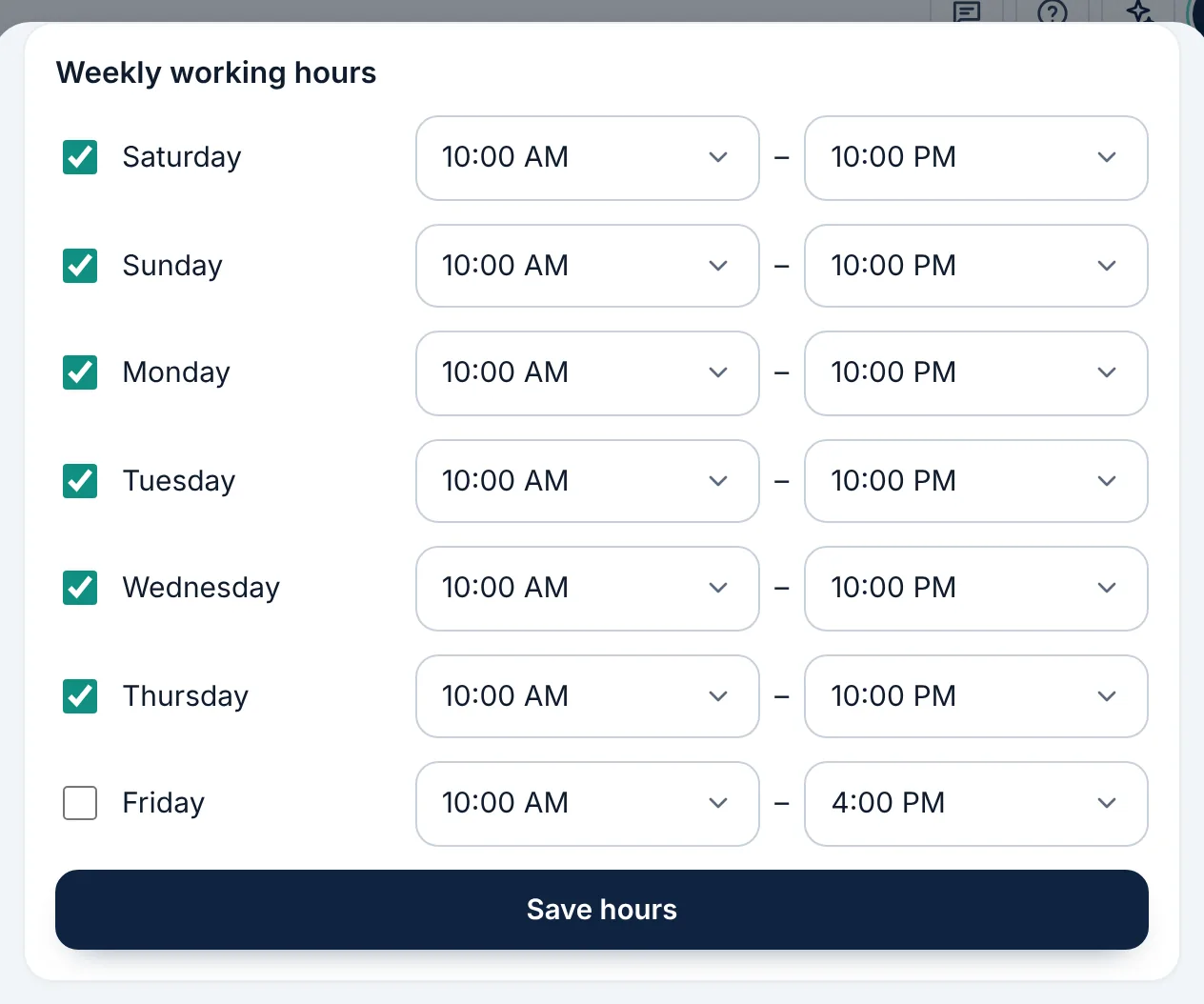
    Set each doctor's working hours; their appointments are booked only within them.
  4. Set a fixed salary or a commission for each doctor if you like.

  5. To record an absence, tap the person's name under «Team today», lower down on «Appointments».

Didn't find what you need?

Press «?» at the top of Ritmo, then «Chat with us». Our assistant answers right away, and our team takes over when you need a person.