Ritmo

Invoices, packages and the cash box

Everything that comes in and goes out, in one place.

Steps

Tap any picture to see it full size.

  1. Open «Money & reports» → «New invoice», and choose the patient and service.
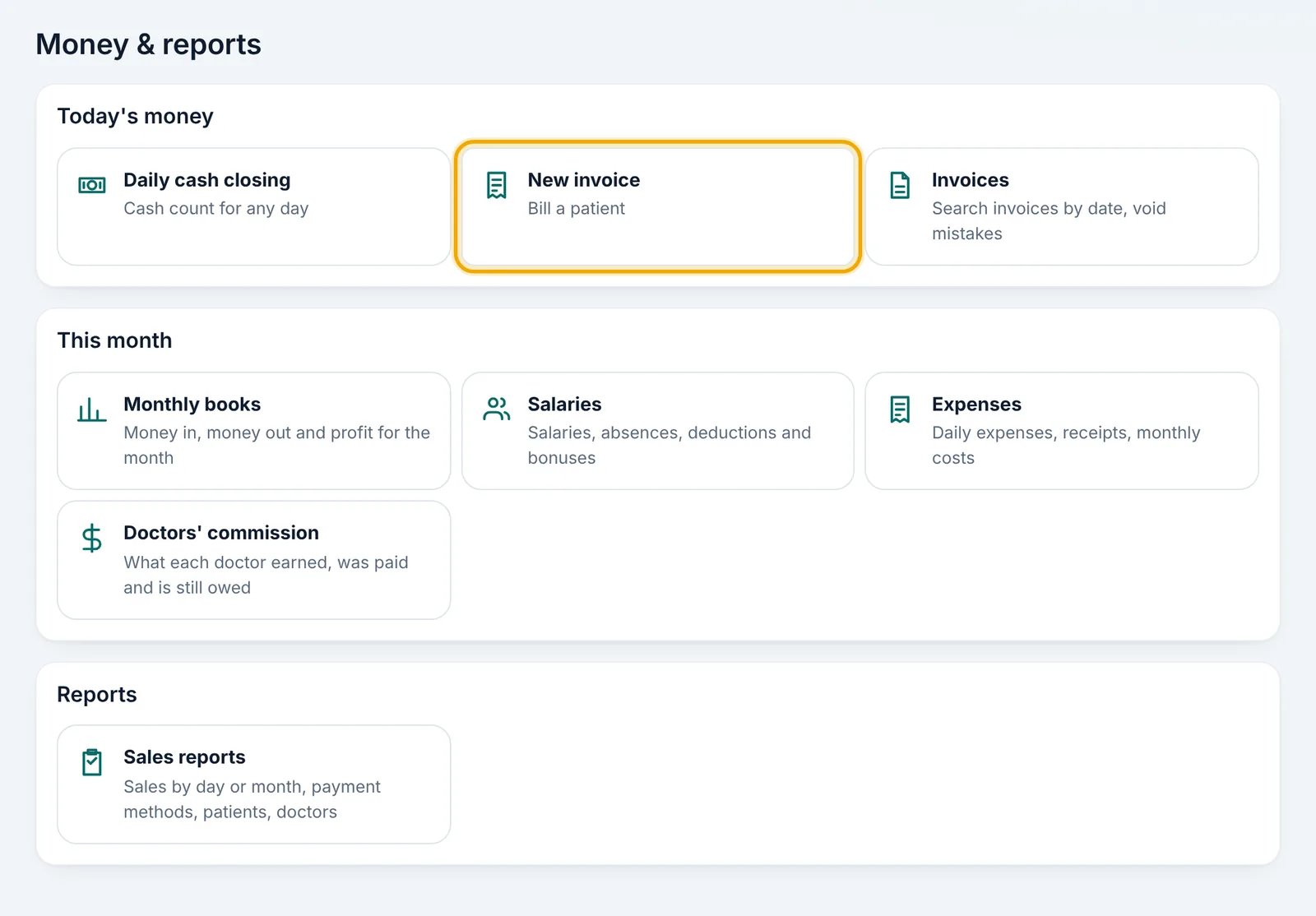
    Open «Money & reports» → «New invoice», and choose the patient and service.
  2. To sell a session package, choose it on the invoice; the discount follows your settings.

  3. Record how they paid: cash, card or transfer.

  4. Record daily expenses in «Expenses», with a photo of the receipt if you like.
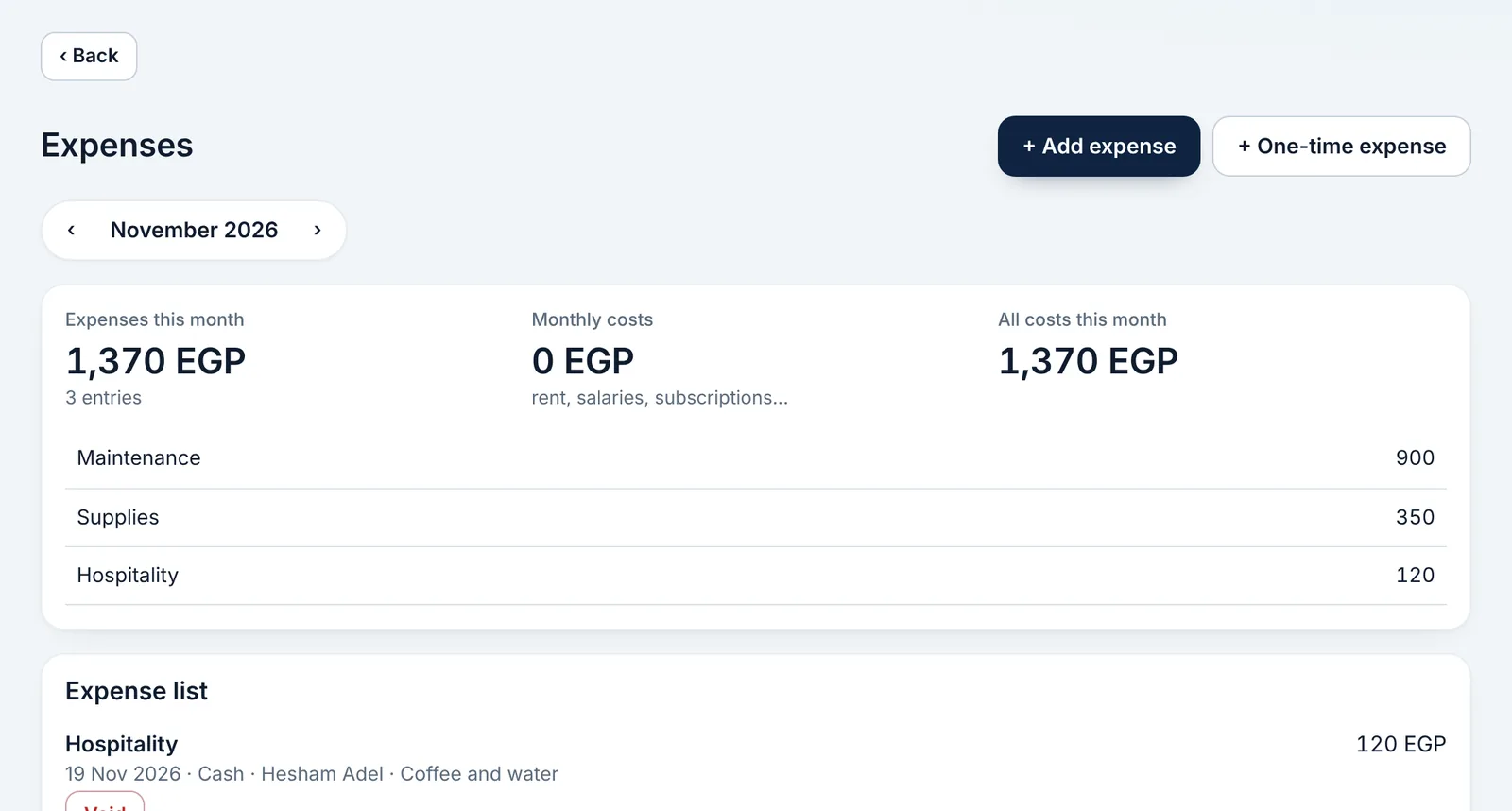
    Record daily expenses in «Expenses», with a photo of the receipt if you like.
  5. At day end, «Daily cash closing» compares the cash box with what was recorded.
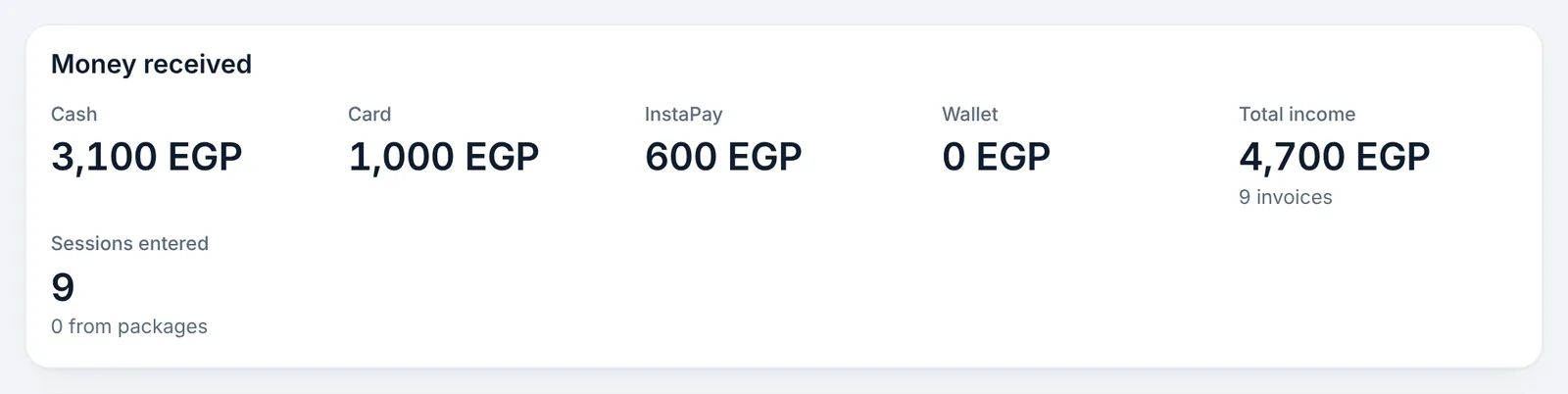
    At day end, «Daily cash closing» compares the cash box with what was recorded.
  6. «Monthly books» shows money in, money out and profit for the month on one page.
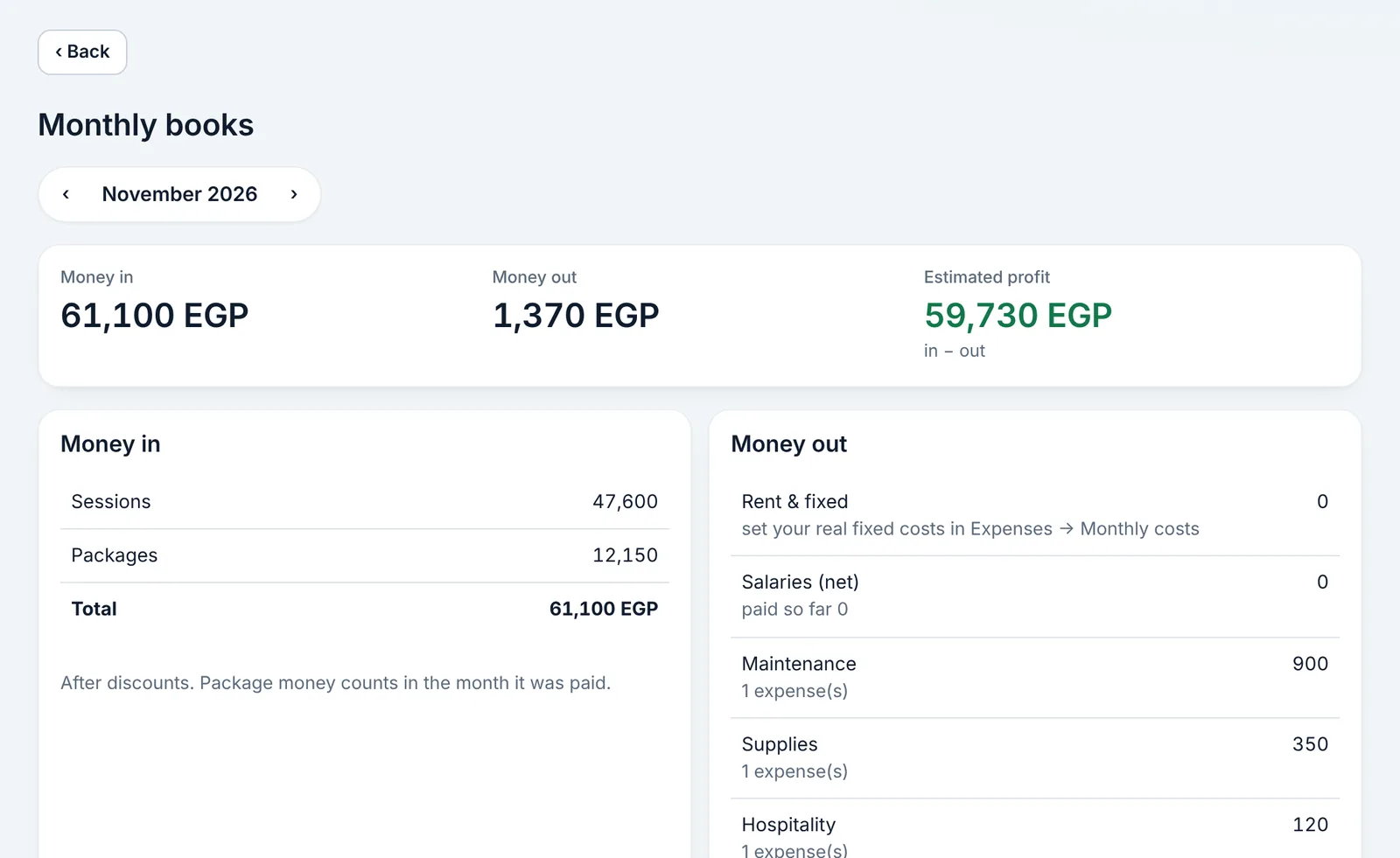
    «Monthly books» shows money in, money out and profit for the month on one page.

Didn't find what you need?

Press «?» at the top of Ritmo, then «Chat with us». Our assistant answers right away, and our team takes over when you need a person.