Ritmo

Prices and packages

Change your prices any time, and quote patients quickly.

Steps

Tap any picture to see it full size.

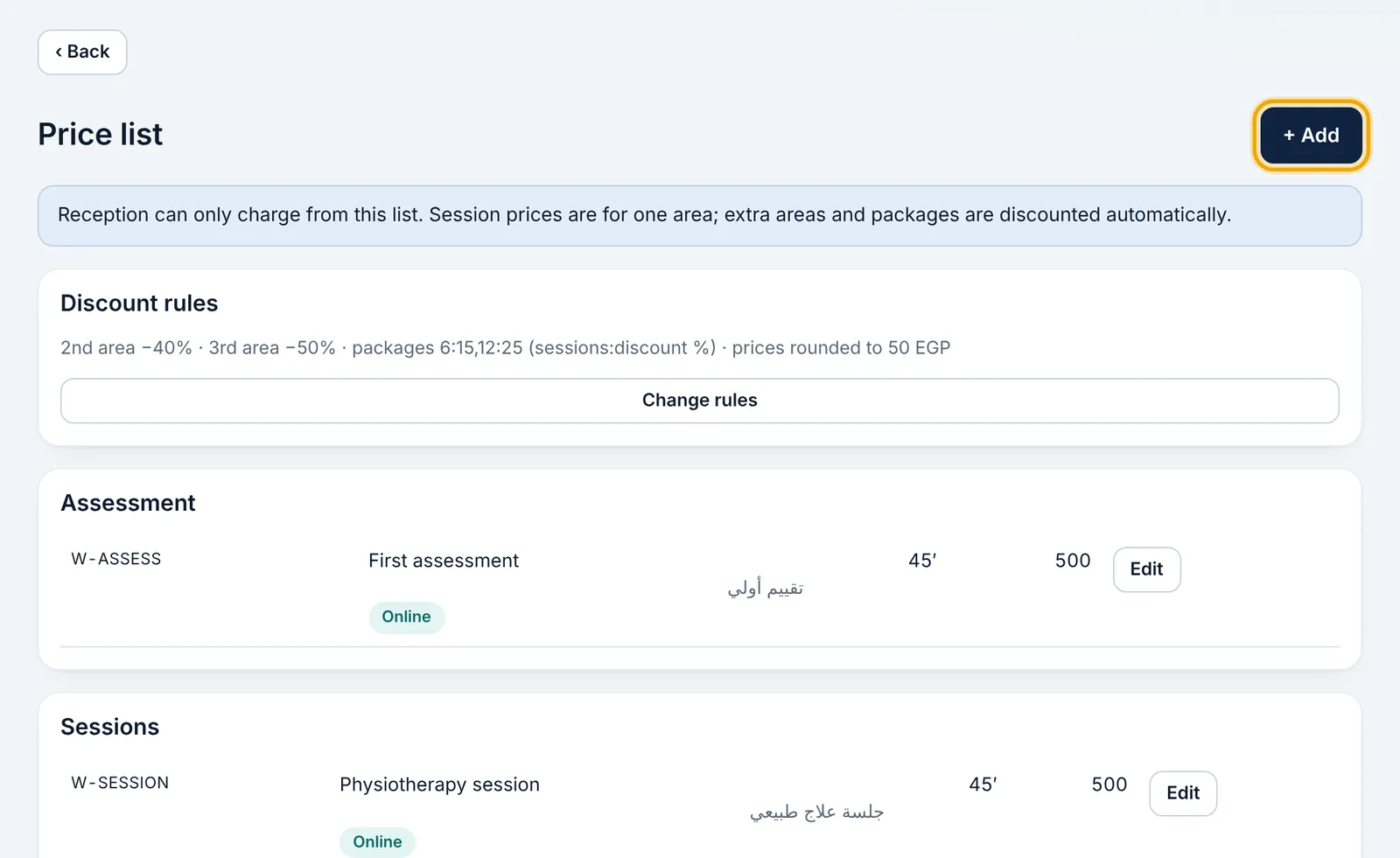
  1. Open «Management» → «Price list».

    Open «Management» → «Price list».
  2. Tap a service to change its name, price or length, or add a new one.
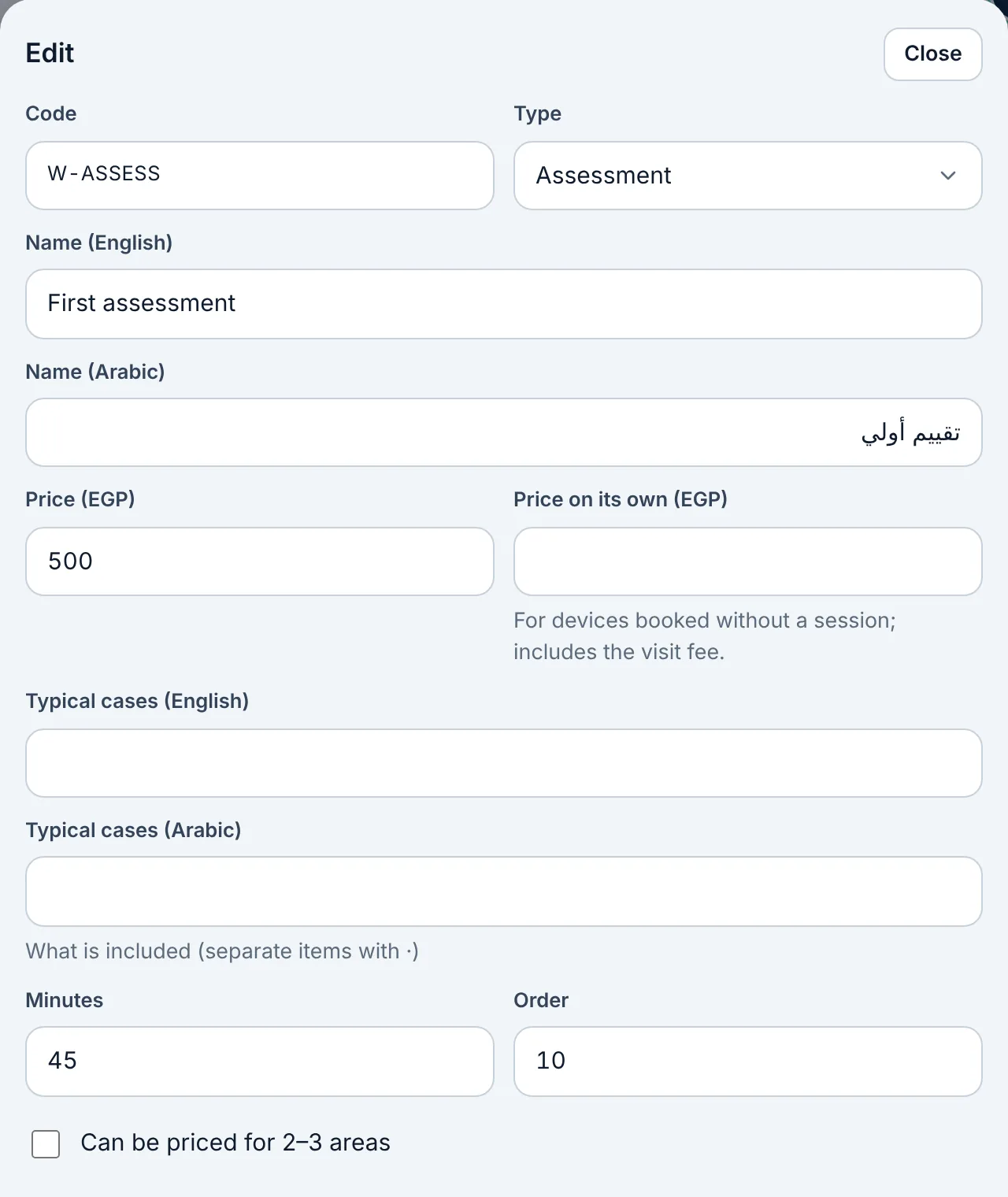
    Tap a service to change its name, price or length, or add a new one.
  3. Choose whether the service can be booked online.

  4. Package discounts and how long packages last are in «Management» → «Settings & messages».

  5. To quote a patient: open «Prices», tap any row to see the savings and send the quote on WhatsApp.
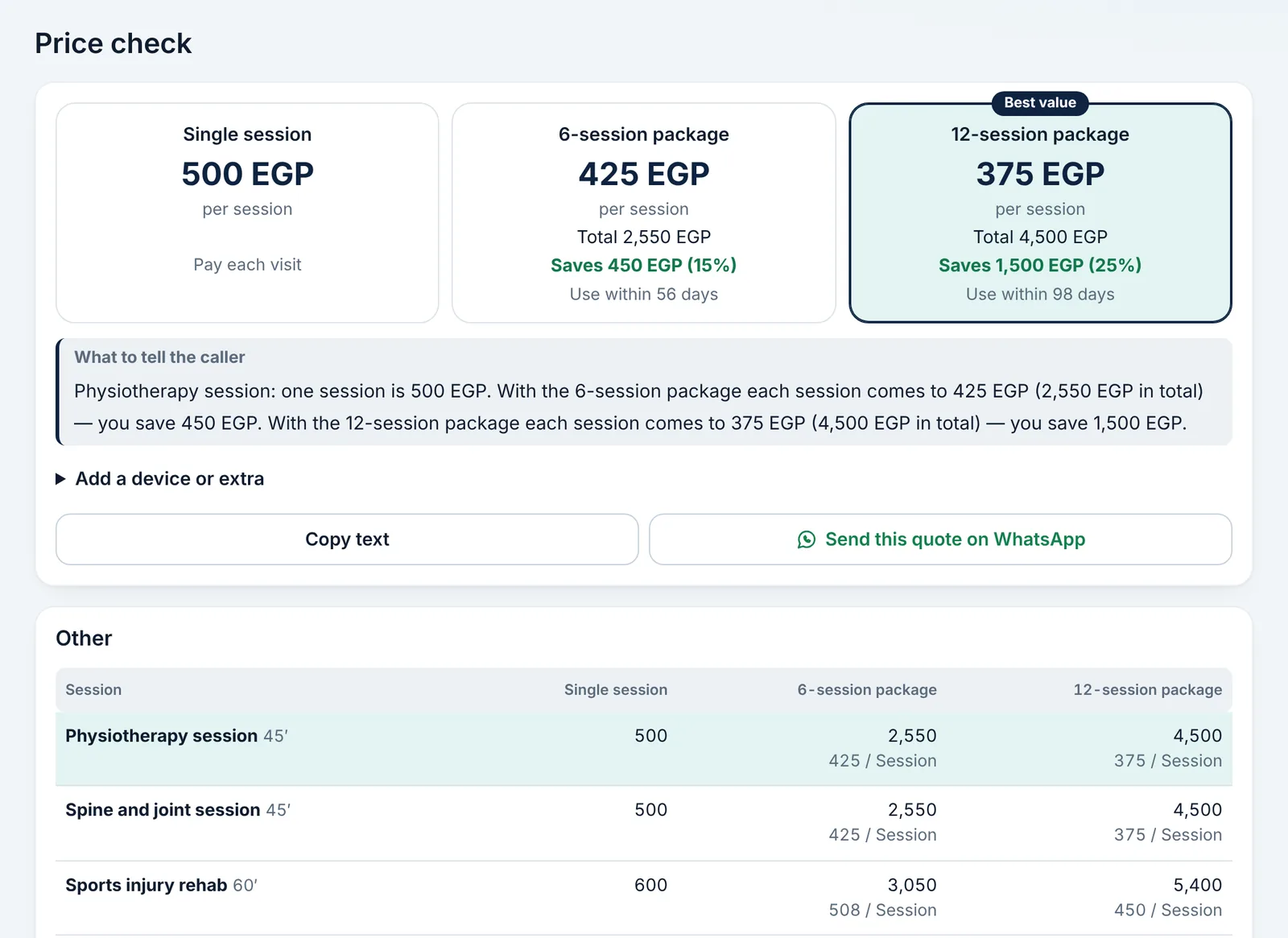
    To quote a patient: open «Prices», tap any row to see the savings and send the quote on WhatsApp.

Didn't find what you need?

Press «?» at the top of Ritmo, then «Chat with us». Our assistant answers right away, and our team takes over when you need a person.