Steps
Tap any picture to see it full size.
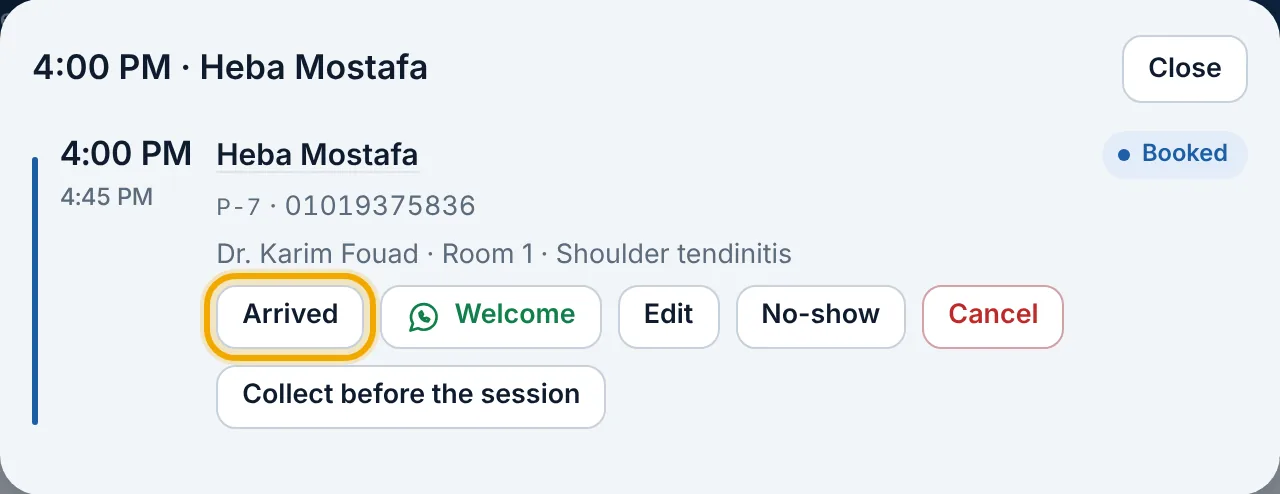
When the patient arrives: open «Appointments», tap their appointment, then «Arrived». The schedule shows them «Waiting», with how long they've waited.
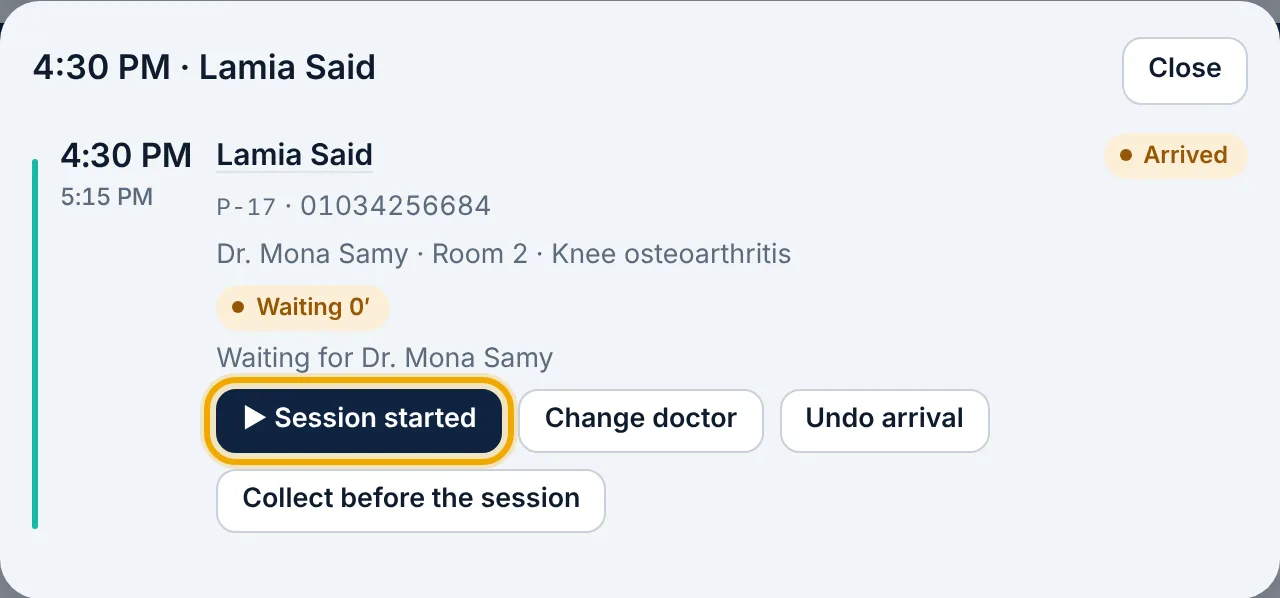
When the patient goes in to the doctor, tap the appointment, then «Session started».
To take payment before the session, press «Collect before the session» on the appointment; after it, use «Money & reports» → «New invoice» and find the patient.
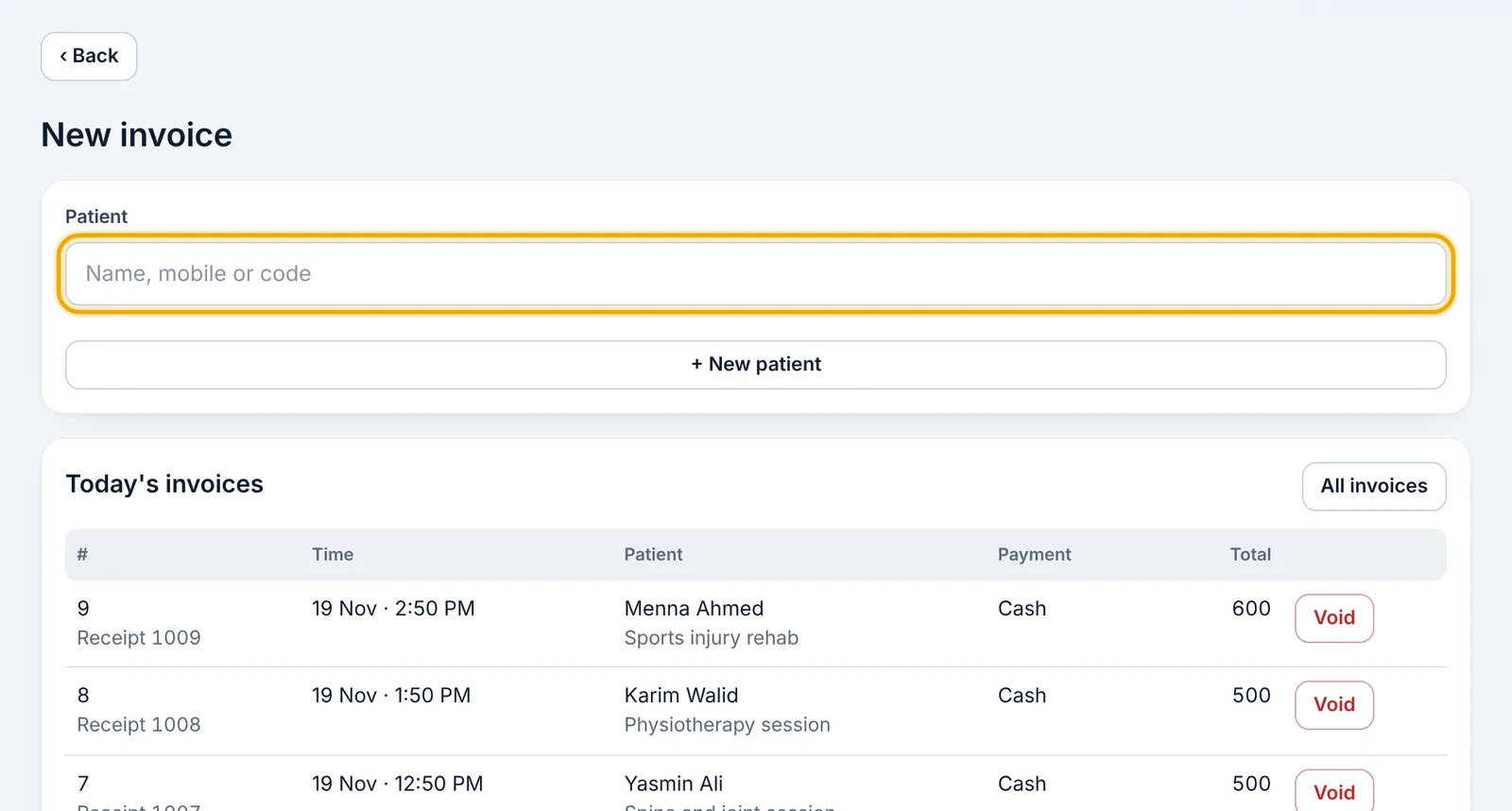
The invoice appears in the patient's file and in «Received today» at the top of «Appointments».